


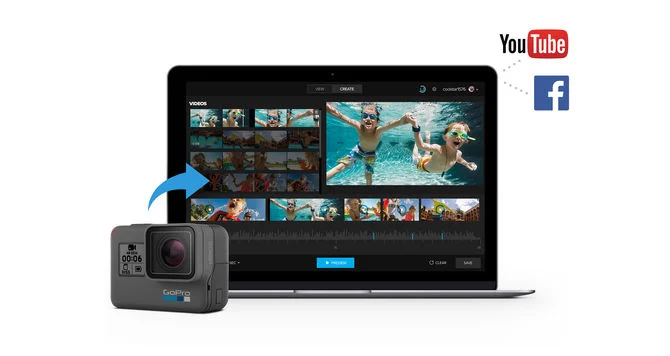
De GoPro Quik App takes your GoPro experience to the next level. With its ability to automatically import footage, sync videos to music, and create seamless edits, it’s an invaluable tool for beginners and casual editors. This guide explores the Quik App for both Windows and Mac, its features, and how to get started.
Update: GoPro Quik Desktop App Is Discontinued
GoPro has announced it will discontinue its Quik desktop editing app, surprising users just a year after its return.
- Mac version: No longer available on the App Store after December 31.
- Windows version: Officially canceled and won’t be released.
- Focus shift: GoPro is prioritizing its mobile Quik app for iOS and Android.
- Desktop alternatives: Updated plug-ins for editing software like Adobe Premiere en After Effects will be released.

How to Download and Install the GoPro Quik App
Here you’ll find how to download GoPro Quik on your computer:
You can still download the last unsupported version of GoPro Quik (12.18) for Mac and Windows, but note that any issues won’t be fixed.
Find it here: Download GoPro Quik from Techspot.
- Minimum requirements: Mac OS 10.9.X or later, 4GB RAM, and Intel Dual Core processor.
- The app works best with Intel HD Graphics 4000 or higher for smooth 4K playback.
- Mnimum requirements: 64-bit Windows 10, 4GB RAM, Intel Core 2 Duo processor, and OpenGL 3.2 compatibility.
Pro Tip: To avoid performance issues, ensure your system meets the recommended specifications, especially for editing 4K videos.
Why Use GoPro Quik? Key Features
- Edit Templates: Sync videos to music with GoPro Edit Templates.
- Simple Trimming: Easily cut, mix, and adjust clips.
- Automatic Imports: Connect your GoPro, and the app takes care of organizing and importing files.
- Add Gauges & Graphs: Show speed, distance, and altitude on your videos.
- Time-lapse & Highlight Tags: Capture stunning sequences and find the best moments quickly.

Step-by-Step: Editing GoPro Videos with Quik
Here’s a step-by-step guide to editing your GoPro footage using the Quik Desktop App:
1. Import Content
Connect your GoPro to your desktop using the provided USB cable. Once connected, the Quik app will automatically detect your camera and import all your footage. This feature ensures you don’t miss any files, saving time and effort in organizing your media.
2. Select Best Moments
After importing, Quik will display all your footage as thumbnails for easy navigation. Browse through the clips and choose the highlights you want to include in your final video. This step lets you focus on the most exciting and memorable parts of your content.
3. Edit Clips
Once you’ve selected your highlights, you can trim and adjust the length of each clip directly in the app. Quik’s intuitive interface makes it simple to arrange your footage and create a cohesive story. Whether you’re shortening clips or highlighting specific moments, the app provides easy tools to refine your video.
4. Add Music
To enhance your video, you can add a soundtrack from Quik’s library of 10 free songs. If you’re a GoPro PLUS subscriber, you’ll have access to an extensive collection of music tracks. Choose a track that complements the tone of your video and sync it effortlessly with your footage.
5. Export & Share
Once your video is ready, you can export it in your desired resolution and format. The app makes sharing simple, allowing you to upload directly to platforms like YouTube, Facebook, or other social media. This seamless integration ensures your videos are ready to impress your audience with minimal hassle.

Laatste gedachten
I hope that it was helpful in teaching you how to download GoPro Quik for desktop 🙂
Vergeet niet dit artikel te delen op sociale media met je familie en vrienden.
Verwante artikelen:
- 5 Best GoPro Hero 12 HDMI Cables
- GoPro Hero 12 as Webcam: Complete Guide for Windows/Mac
- GoPro Hero 12 Overheating? Try These Tips to Cool It Down
- GoPro HERO 12 Editing Software: Top Free and Paid Options